Onform · for in-home personal trainers in Dubai

Know who owes you, who is running out, and where you are driving next.

Right now your business lives in WhatsApp threads, a notes app and your head. Onform puts it in one app on your phone: your day in the order you drive it, every pack counted, every payment recorded — and an app for your clients, so they stop asking how many sessions they have left.

See plans Ask on WhatsApp

From AED 590 a month. 14 days free, then monthly. iPhone.

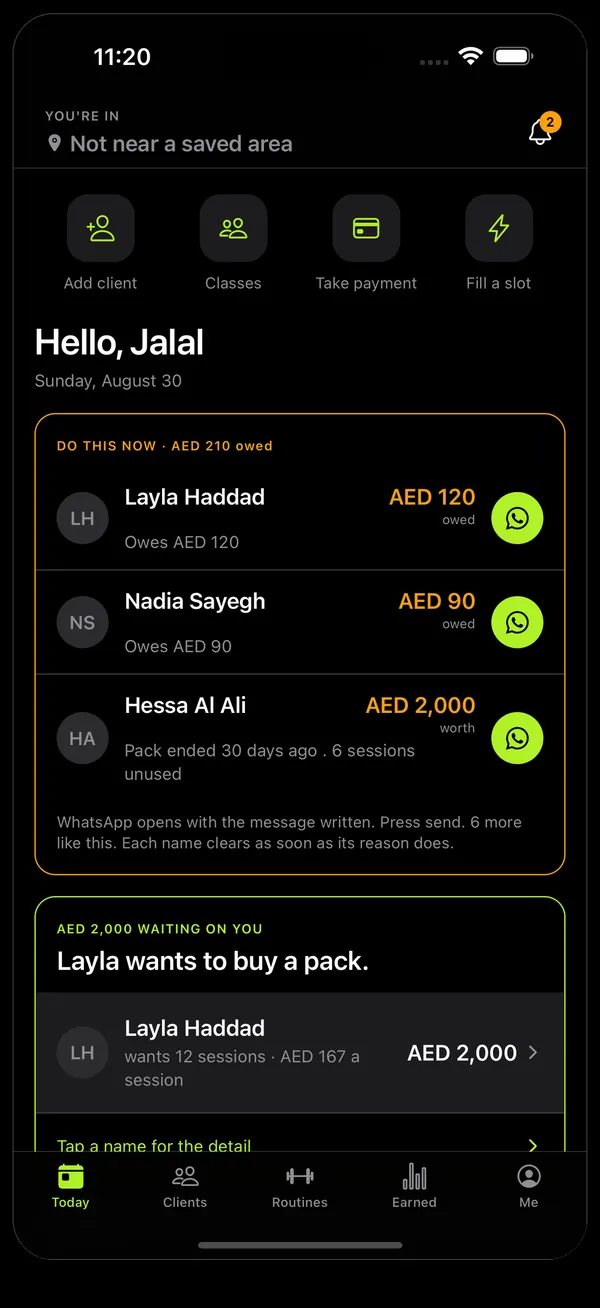
Onform's Today screen for a trainer: a card headed 'Do this now · AED 210 owed' lists Layla Haddad owing AED 120 and Nadia Sayegh owing AED 90, each with a WhatsApp button, and below it Layla asking to buy a pack worth AED 2,000.

Where your business lives today, and what it costs you

None of these is a mistake. Each one is what happens when the record of a business lives in the person who is also doing the training.

  • WhatsAppYou drive to a session she cancelled on Thursday. It was in the thread, under a voice note.
  • A notes appA pack runs out with four sessions unused. Neither of you says the number out loud until she asks.
  • Your headA client goes quiet for six weeks before you notice, and by then a friendly message reads like a message about money.
  • Your habitsYou have ninety minutes free in Marina and drive home, not knowing three clients live ten minutes away.

What Onform does for you

Your day, in the order you drive it

  • Today lists your sessions in order, with the travel time between each stop.
  • Your client list sorts by neighbourhood, nearest first, so a cancellation in Barsha shows you who else is close.
  • A free hour shows who could reach it and writes the offer. She accepts it on her phone.
  • Two taps tell a client you have set off and that you are at the door.
  • Every client's address, building access and parking are on their page, so you stop asking twice.
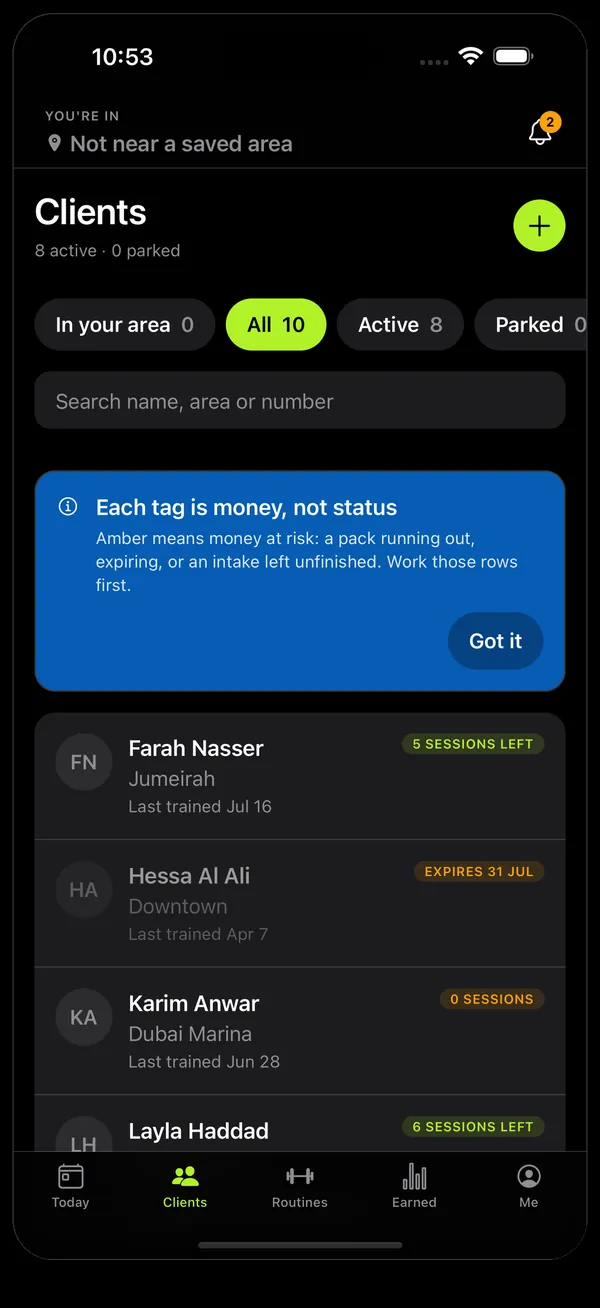
Onform's Clients screen: filters for In your area, All, Active and Parked, and client rows showing name, neighbourhood such as Jumeirah or Dubai Marina, when they last trained, and a tag such as '5 sessions left' or 'Expires 31 Jul'.
Clients, grouped by where they live.

Every pack counts itself

  • Sell a pack in seconds. The sessions, the expiry date and what she owes all exist before you are back in the car.
  • Every session you finish comes off the pack. You see "5 of 8 left" and the expiry date, and so does she.
  • Onform lists who is running out, who has sessions they paid for and are not using, and who has gone quiet — with the WhatsApp message already written.
  • Raise your prices and nothing already sold changes. A pack keeps the price she paid.
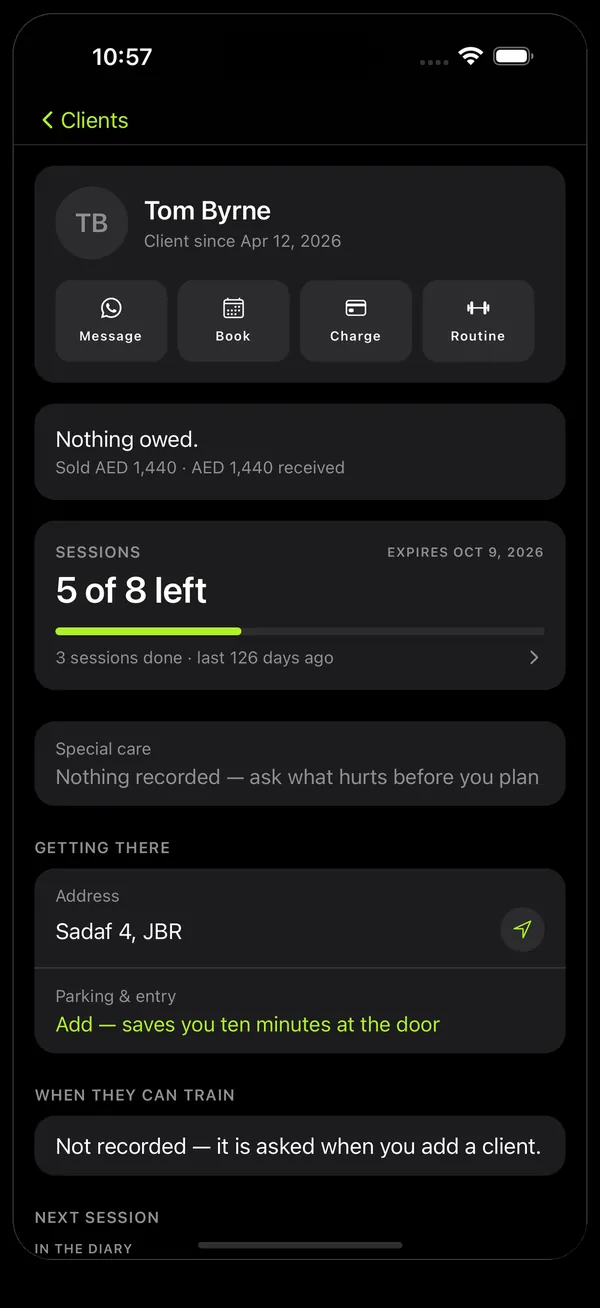
A client's page in Onform: Tom Byrne, 'Nothing owed', sold AED 1,440 and AED 1,440 received, a pack showing 5 of 8 sessions left expiring 9 October 2026, and a Getting there section with his address in JBR and a line for parking and entry.
One client: what is paid, what is left, how to get in.

Know who owes you, today

  • The first thing you see each morning is who owes you and how much, with a message ready to send.
  • Take a payment at the door: what she owes, which pack it is for, how she paid.
  • Your Aani number and IBAN are saved, so you stop typing them into WhatsApp from memory.
  • Earned shows what you sold, what came in, and what is still owed — and your client can read her own receipts.
  • Onform never takes your money and never takes a cut. Clients pay you the way they do now, and you mark it received.
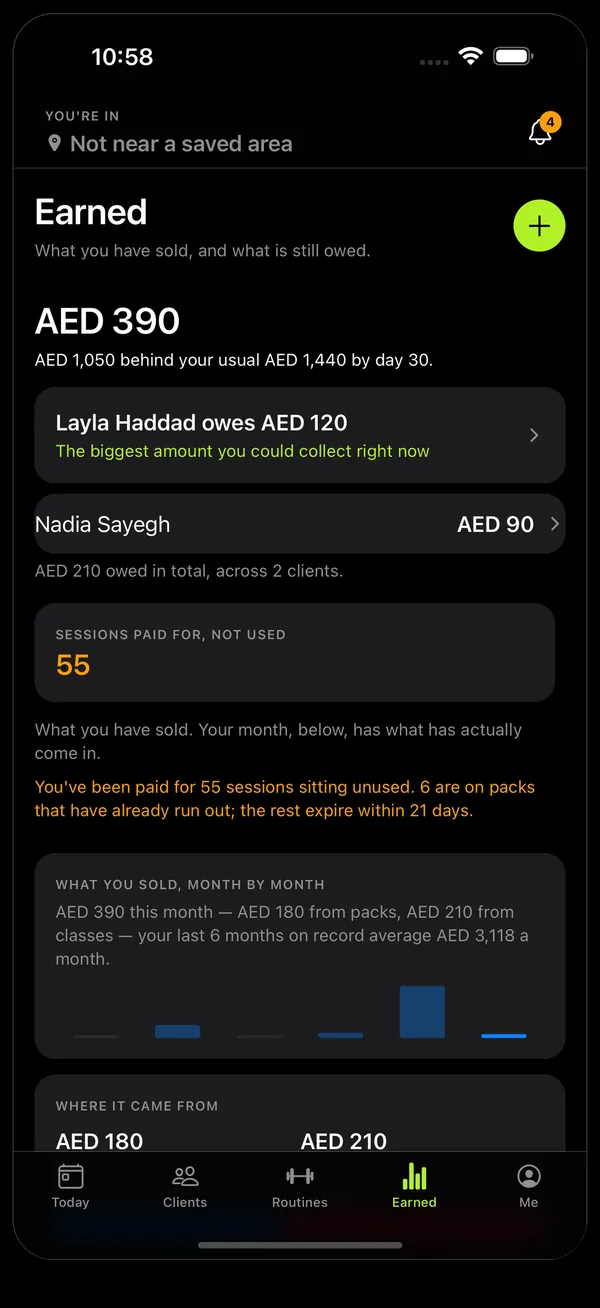
Onform's Earned screen: AED 390 this month, Layla Haddad owes AED 120 marked as the biggest amount you could collect now, Nadia Sayegh owes AED 90, and 55 sessions paid for but not used.
Earned: sold, collected, and still owed.

An hour nobody can argue about later

  • At the end of a session your client signs on your phone with her finger.
  • After that, the record of the hour cannot be changed — not by her, and not by you.
  • When someone queries six sessions, you have six signatures with the time each was signed.
  • Everything you record can be taken out as ordinary spreadsheets, whenever you like.

What your clients get

Your clients use the same app. You send each one a link; they sign in and see their side of it — only their own records, never anyone else's.

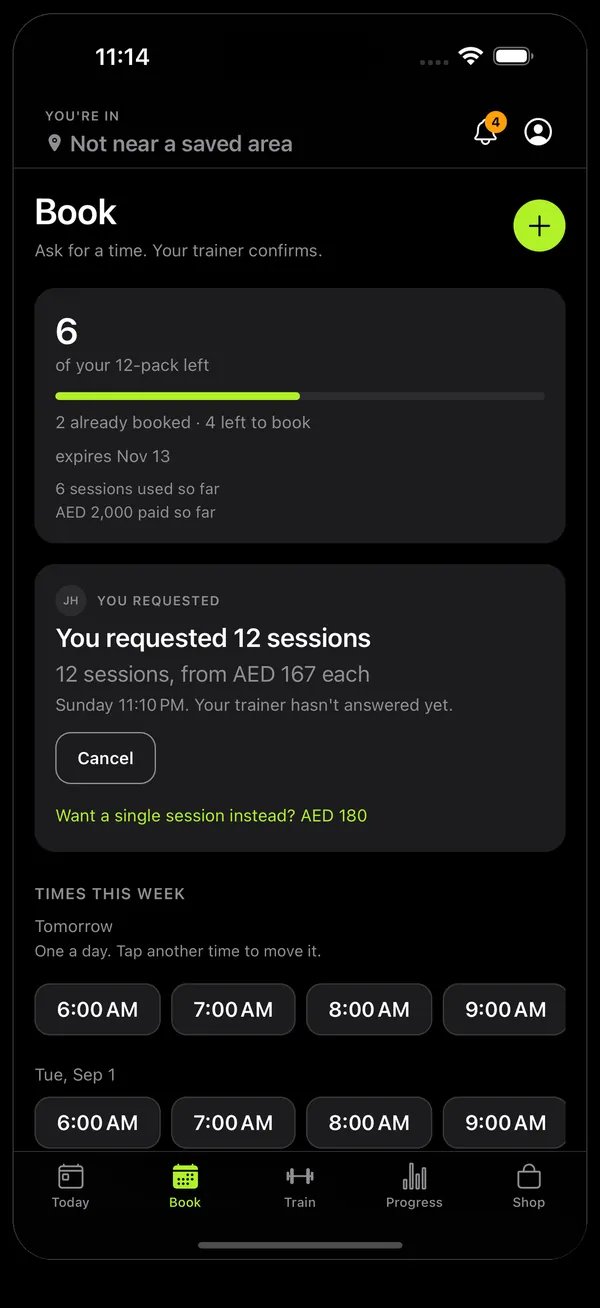
The client's Book screen: 6 of a 12-pack left, expiring 13 November, a pending request for 12 sessions, and times this week to tap.
Booking without the back-and-forthShe asks for a time or a new pack. Nothing goes in your diary until you confirm it.
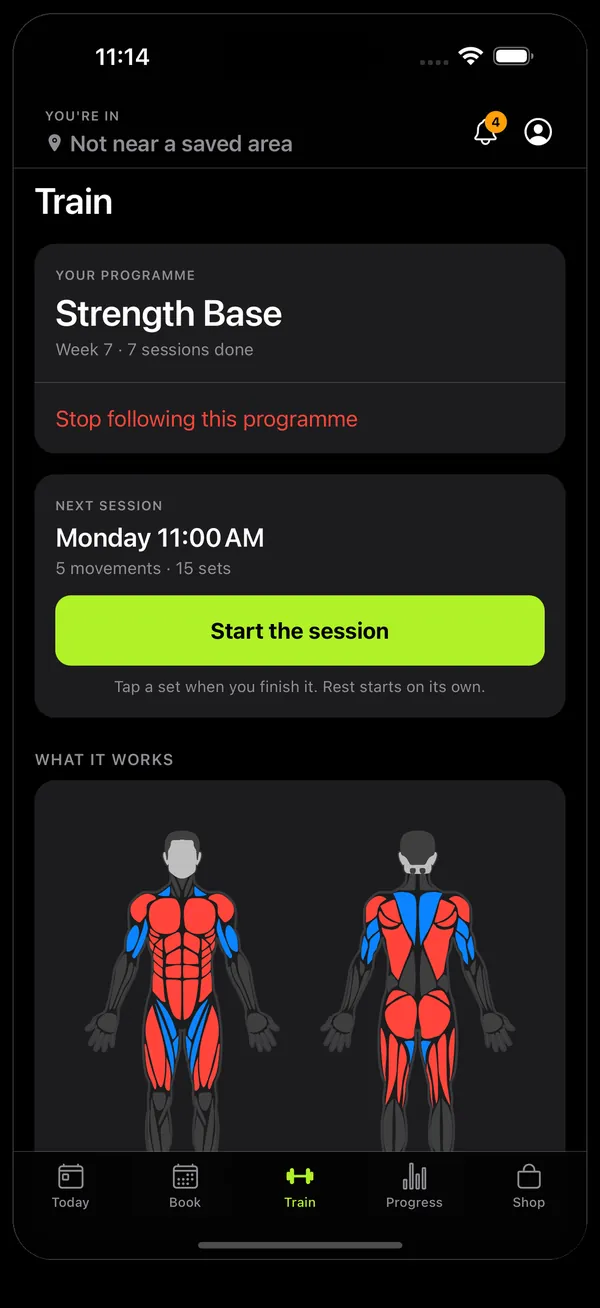
The client's Train screen: her programme 'Strength Base', week 7, her next session on Monday at 11:00 with five movements, and a front-and-back body map showing which muscles it works.
Her programmeThe routine you gave her, her next session, and which muscles it works.
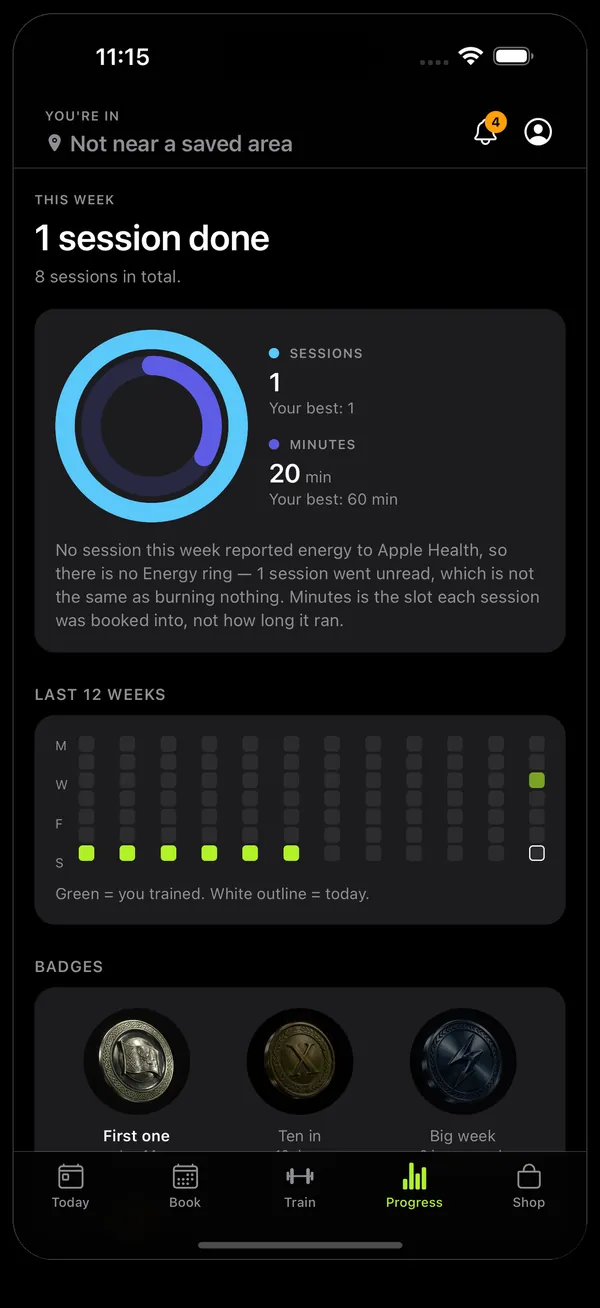
The client's Progress screen: sessions and minutes this week against her best, a 12-week grid of the days she trained, and badges.
Progress she can seeSessions, minutes and the weeks she trained — counted from what really happened.
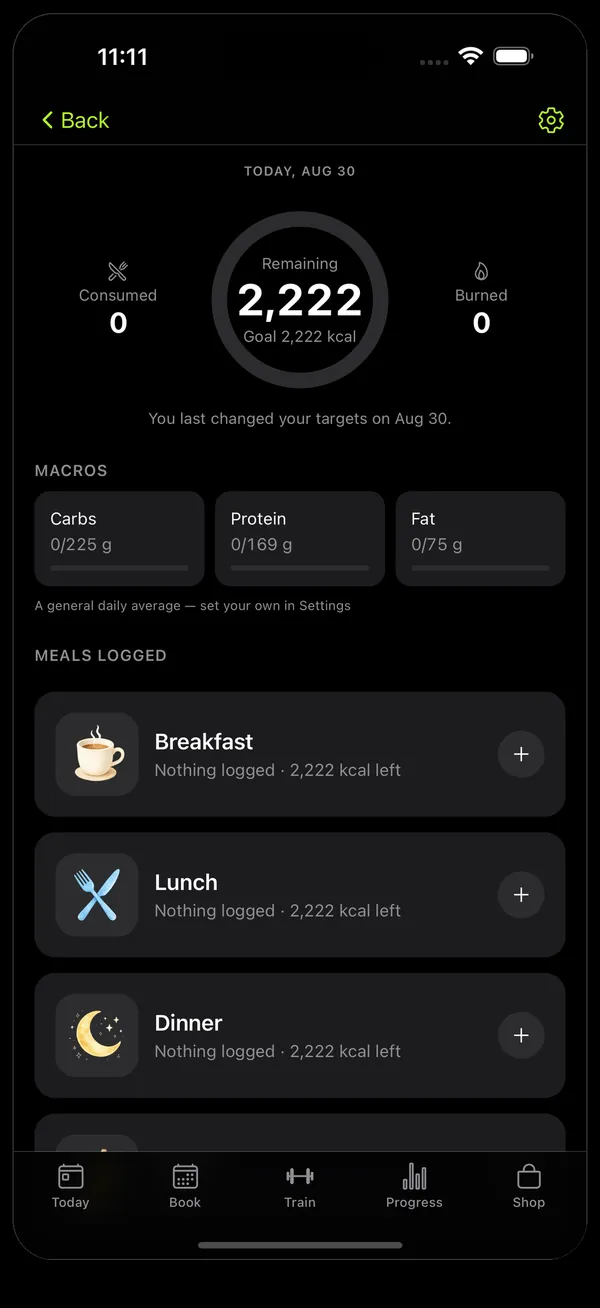
The client's nutrition screen: calories remaining against a daily goal, carbs, protein and fat, and meals to log for breakfast, lunch and dinner.
Meals in one sentenceShe types what she ate and sees her calories, carbs, protein and fat.

What Onform does not do

Worth knowing before you pay.

  • It does not handle your money.No card processing, no cut of your sessions. Money moves the way it moves today — Aani, transfer, cash or your own card link — and Onform records it.
  • It does not tell you how to train anyone.No automatic programming and no AI coach. It comes with ready-made routines you can copy and change, and what goes in a session is yours.
  • It does not find you new clients.There is no marketplace or directory. It stops you losing money and time on the clients you already have.
  • It does not lock you in.Stop paying and your account becomes read-only. Nothing is deleted, and you can export everything as spreadsheets.

Start with 14 days free

Sign in on your iPhone and use everything free for 14 days, no card needed. Subscribe when you are ready. Onform is coming soon to the App Store — until then we send you the install link on WhatsApp.